Daily show prep and airchecks for radio
Prep it. Read it.
Hear it back.
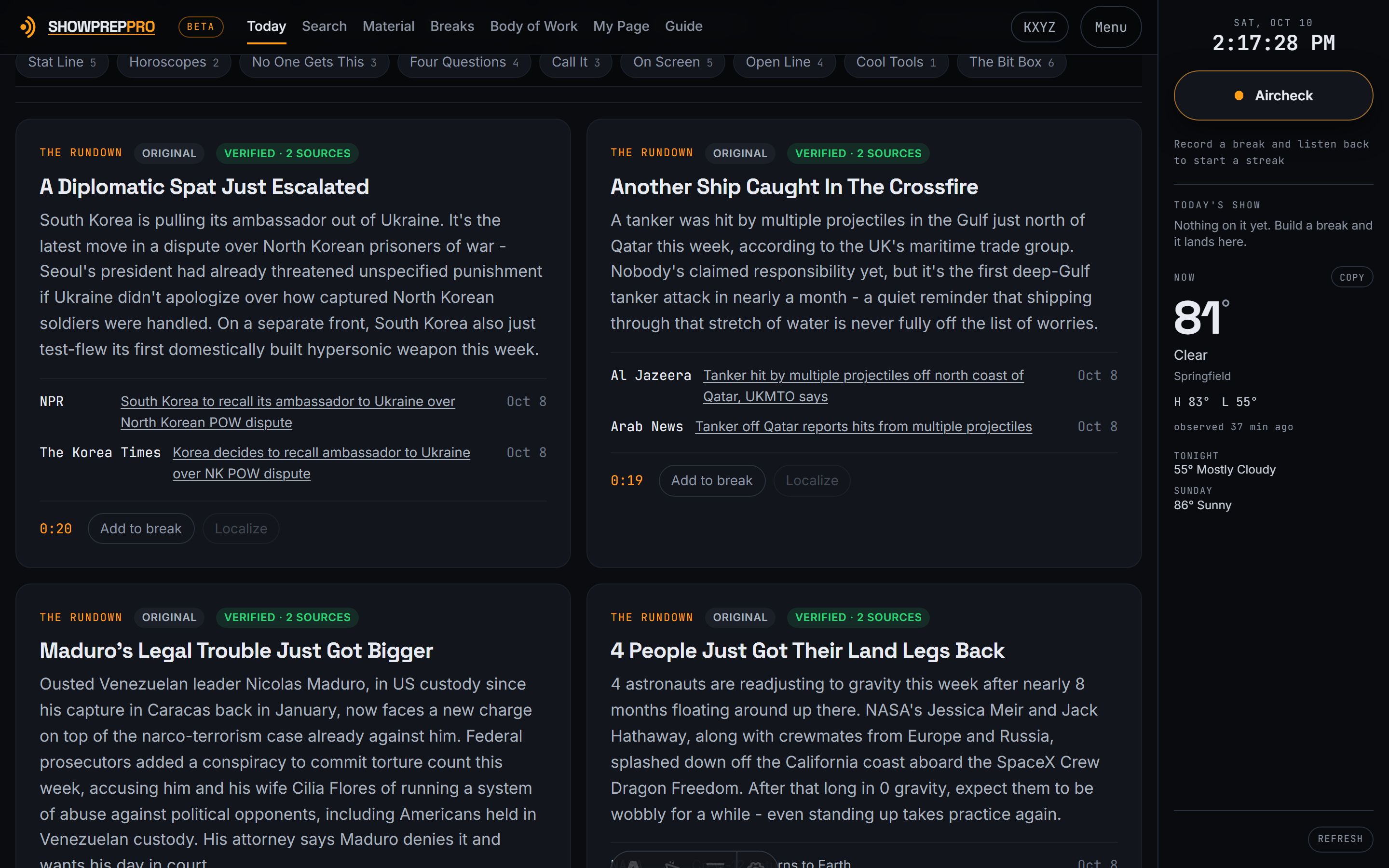
A full edition at 5pm the day before, sorted for your format, every fact sourced with the links right there. Build your break and read it off the same screen, in type big enough to read at the mic. Then hear yourself back: one button records a break, and once you subscribe we record your whole show for you and hand it back as just your talk, minutes after you're off. The habit every PD preaches and almost nobody keeps.
$19 a month, or $190 a year. No card for the trial. Cancel in one click.
- 1
Read
Open the edition. It is already sorted for your format.
- 2
Build
Pick your stories. Break Builder puts them in order and times the break as you go.
- 3
Air
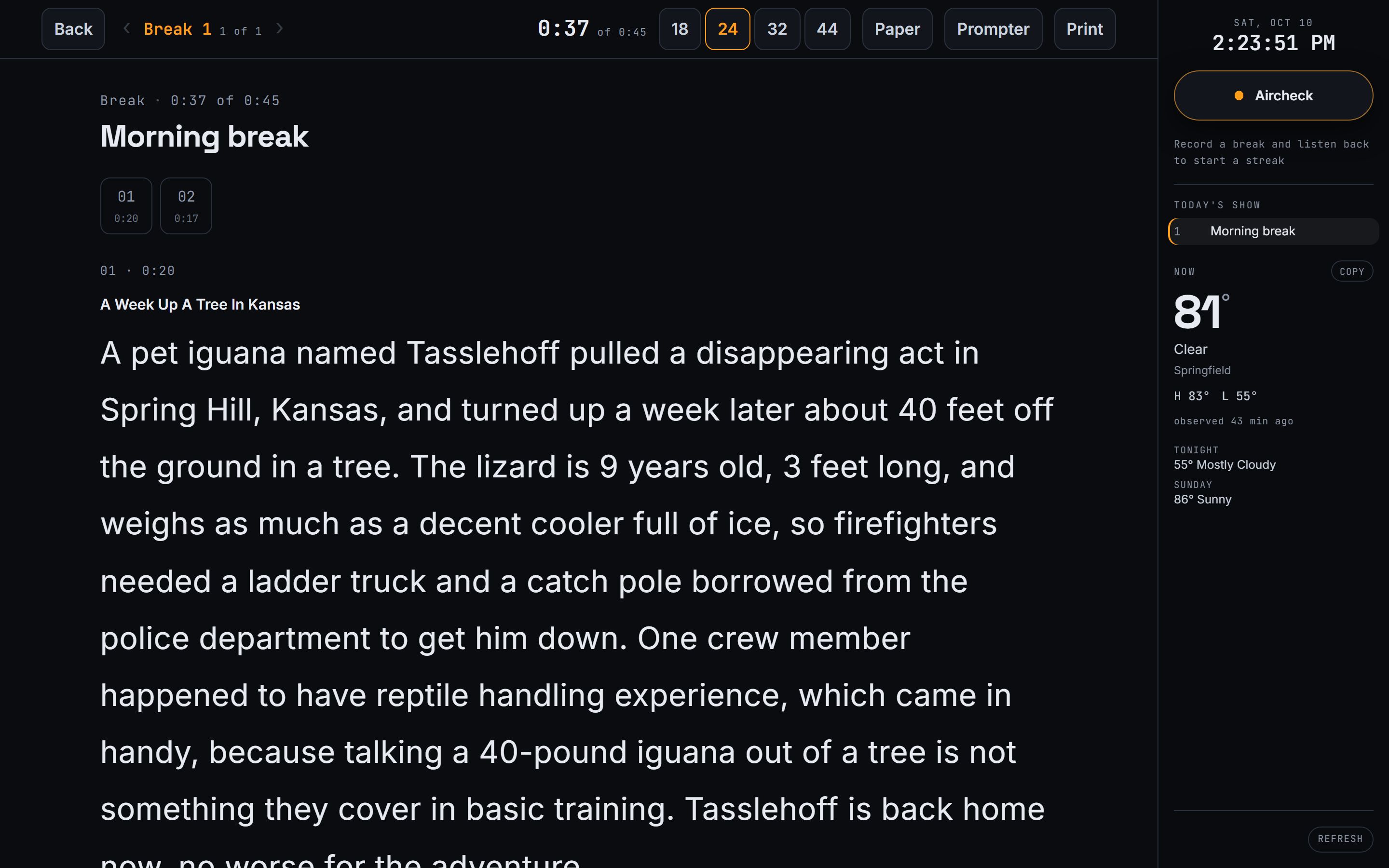
Open Reading Mode. Big, double-spaced type and a clock counting your break down.
- 4
Hear it back
Press Aircheck when you open the mic, or let it record the whole show. Either way it files itself.
Nobody else closes that loop. Everyone else emails you a document. Do it every show and you hear yourself get better, with a streak to prove it.
Hear yourself back, without thinking about it
Your whole show. Just you.
Tell us when you're on, once. We record your stream on our servers every show, with nothing to press and nothing left open, and a few minutes after you're off it's waiting: four hours on the air cut down to the 20 or 30 minutes that are you, with the music and spots taken out.
Whole-show recording starts when you subscribe. During the free trial, the Aircheck button records any break you like.
- Every break, listed with the time it aired. Tap one to jump straight to it; the one playing lights up.
- Mark it on the air. While it records, the Aircheck button becomes Mark: press it when a break lands and it's flagged for later.
- Straight onto your reel. Every break has a Reel button, so the good ones go to your demo while you listen.
- Every station you're on. Voicetracking several? Each records on its own times, all at once.
Every edition
21 sections, built overnight
Not a link dump. Written to be read out loud, at the length a break actually is.
The Whole Show
Today's edition already arranged into a show. Skip it if you know yours.
The Rundown
What you can't be caught not knowing.
Local Angle — coming
Your market, your call letters. Still being built.
The Setup
Lines engineered to make the phones ring. Follow-up included.
Off the Rails
Weird news, long enough to actually tell.
Trending
What everybody has already seen, and the question that turns it into a break.
The Argument
Today's small fight, both sides, and your way into it.
The Blotter
Crime and courtroom, mostly the odd kind.
The Callback
Something from last week that just moved. You already told them.
Facepalm
Short, dumb, over in ten seconds.
The Countdown
Today's Top 5. Some days the real chart, some days ours.
Stat Line
One-line numbers worth reading out.
Horoscopes
All twelve signs, two ways, written to be read straight off the screen.
No One Gets This
The daily stumpers. Answers included, and never in the title.
Four Questions
The ones your audience actually gets, tagged to your format.
Call It
True or false. Play it with the audience.
On Screen
TV, streaming, box office, new music.
The Big Board
Monday's scoreboard: the weekend box office, the charts, what dropped.
Open Line
Phone topics that actually light the lines.
Cool Tools
One thing worth having today. The ones that are ours say so.
The Bit Box
Bits and games you can run tomorrow with no preparation.
On This Date
A dozen a day. And we file today, tonight, for next year.
What's behind today
A library, not a feed
Nothing we write gets thrown away. Every item ever built is still in here, still sourced, still searchable — so the archive is deeper every month you stay, and a good bit from March is a good bit in November.
- 900+items written, sourced and kept
- 450+never served to anybody yet
- 1,300+citations you can click
- 70+dated to come back every year
Written for your format
Country morning show and a Top 40 afternoon drive should not get the same trivia, and here they don't. Set your format once in your profile and the edition sorts itself to match — the items tagged for what you play come first, every day, in every section that has them. Nobody gets handed a break about an artist their audience has never heard.
Fresh every publishing day
21 sections go out overnight, every one of them written that night from today's reporting. Not the same evergreen list reskinned: the library tracks the last day every item went out and holds it back for weeks or months afterward, so the stumper you read today is not coming round again in February. Most sections give you several to pick from, too — you are choosing, not taking what you're given.
The part nobody else does
Every item shows its work
You are the one holding the microphone. If a fact is wrong, it is your name on it, not ours. So we don't ask you to take our word for anything.
We look for two independent outlets for every factual item before it's published, and the links sit right on the item with the date each one ran. Anything we could only stand up once is badged as such, so you can decide.
Check a story on air in three seconds. Or don't — but you could.
Oldest living alpaca turns 27
Hawthornden Wainui has celebrated his 27th birthday in New Zealand, making him the oldest living alpaca on record. The average alpaca makes it to about 20.
Tools, not just text
What you can't get anywhere else
Break Builder
Pick your stories and it becomes a break, timed as you build it, in the order you'll read it. Put breaks in your show in any order, with air times if you want them. The database stops being a database.
Reading Mode
Your break in big, double-spaced type, held still, readable at arm's length from the mic. Four type sizes, a clock counting the break down, and a screen that never goes to sleep. Read it off the same screen you built it on. (Prefer it to scroll? On-Air Mode does that.)
Aircheck
Press one button on the studio rail when you open the mic and press it again when you're done. It records the station off its own stream and keeps the clip — beside the script if you built one, on its own if you were adlibbing a segue. Nobody airchecks themselves because of the fetching and filing, not the listening. This is the fetching and filing.
A streak, and 10 trophies
Aircheck every show and listen back to it, and your streak grows. The cup on your screen changes metal as it does: Bronze, Brass, Silver, Gold, Platinum, then the named awards, all the way to the Legend. Every clip says whether you have heard it, days off never count against you, and you get a week to catch up on listening.
Search that goes back
Type a word ten minutes before air and today's edition narrows to the items carrying it. Or search every edition we've ever published, not just yours: "that bear story" is four keystrokes away, not lost in an inbox.
A choice in every section
Three stumpers, three phone topics, twelve pieces of history, two sets of horoscopes, six bits. Not one of each to take or leave — you have your own style, and one of anything is an instruction rather than a choice.
It knows what you play
Set your format once and the feed sorts itself around it. A classic hits host stops opening on a question about a record from March. Nothing is hidden — a crossover station plays some of everything — the ones that suit you are simply first.
Tomorrow's history, filed tonight
Every night we take what actually happened today and write it up for next year — past tense, dated, sourced while the reporting is still easy to find. In twelve months it is simply there on the right day. Nobody else is building an archive of your business while you sleep.
Say It Right
How to say every hard name in the news, before you say it wrong. Written out the way you read it, with the stress marked: Wrexham is REK-sum — and it rides along into your script, including the parts you wrote yourself.
Bring your producer, free
Invite up to 3 producers and they work on your account at no extra cost: they build breaks with you, follow your screen, and their notes land on yours while you are on the air. A co-host at your station gets their own account set up like yours from one link. An in-studio guest gets their own screen from a link, showing only what you send them.
The studio rail
On every screen: a station clock with seconds in your station's time zone, your live temperature, the full week of forecast (the National Weather Service in the US, MET Norway everywhere else), and traffic (Bay Area for now). Tap Copy and it is written out ready to read on the air.
Your material
Your own bits, in sections you name. Paste a whole document, or a whole day from anywhere, and it splits itself into bits that go into a break exactly like ours do. Grab a caller or a bit on the air in one tap, and it files itself. Nobody else sees them.
Also: Local Angle for your market (coming) · your stream address found from your call letters · every clip marked heard or not · stories already in your show marked as you read · every show archived, any day back as Word or PDF · trivia titles that never give the answer away · a star on every aircheck · every holiday and observance, 30 days ahead · an email when your prep is ready · every number written as digits · Send to Cartwright (coming).
Off the air
Airchecks, show copy and show notes, all in one place
Close out the show and all of it files itself: the breaks you built, the copy exactly as you read it, the clips off your own stream, your notes, and a line about how it went. Your banner and your headshot sit on top of it. Do that for a year and you've got a year of your own work in one place.
- What you wrote is yours. Your own bits sit beside ours in the same edition, in sections you name, and go into a break the same way.
- Any day, out in one press. Pull a show back as a Word document or a PDF, the whole running order and the copy as you read it, months or years later.
- Everything, in one download. Every show, every aircheck, your reels and your material in a single file that opens on a page explaining what's inside. Free, any time, whether you're paying or not.
- Your tape is yours. Every aircheck downloads, named for your station and the moment it went out.
- No lock-in, and nothing held hostage. Cancel in one click and take your work with you. We'd rather you left with it than stayed because you couldn't.
For the next job
A page of your own that a PD will remember
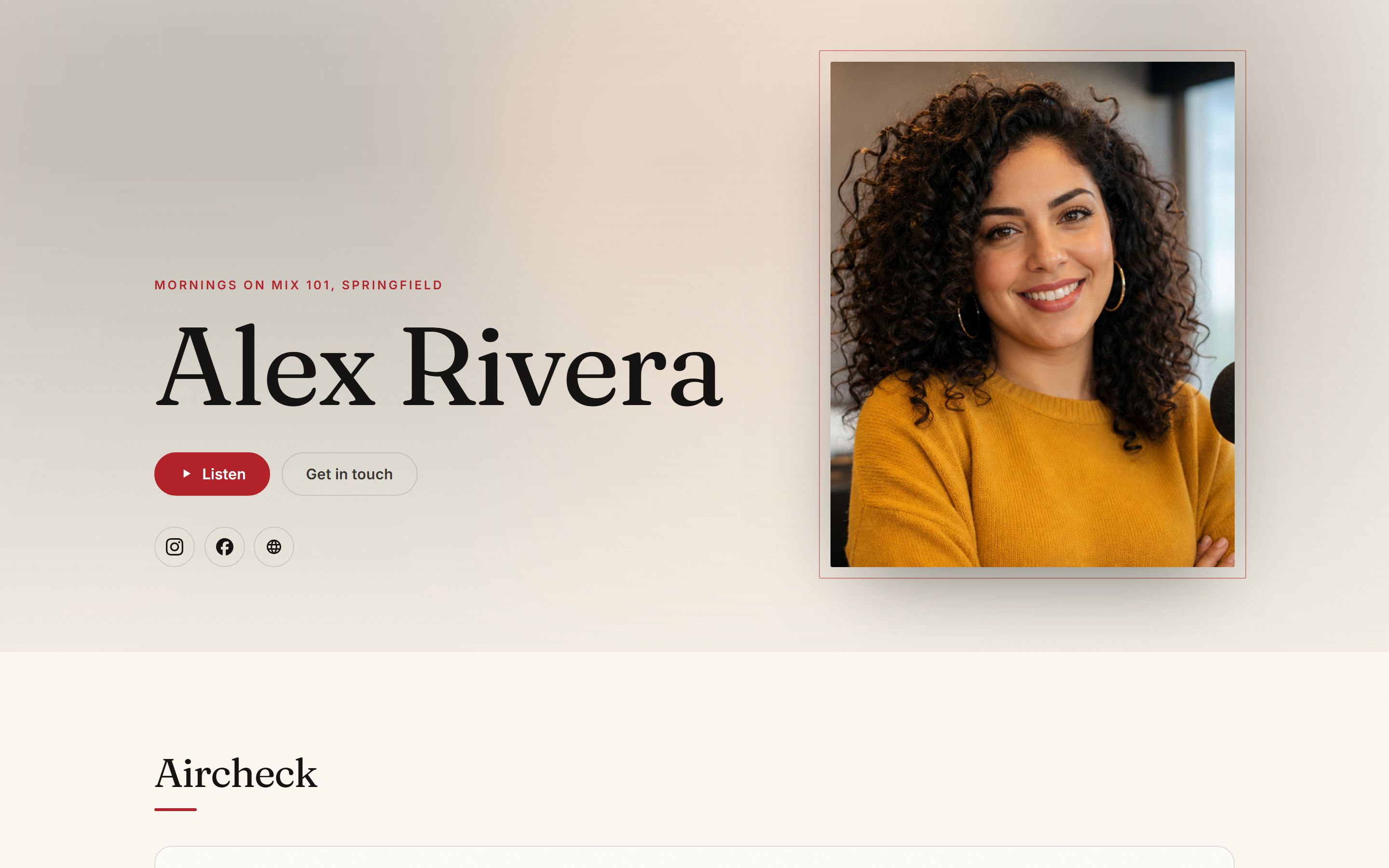
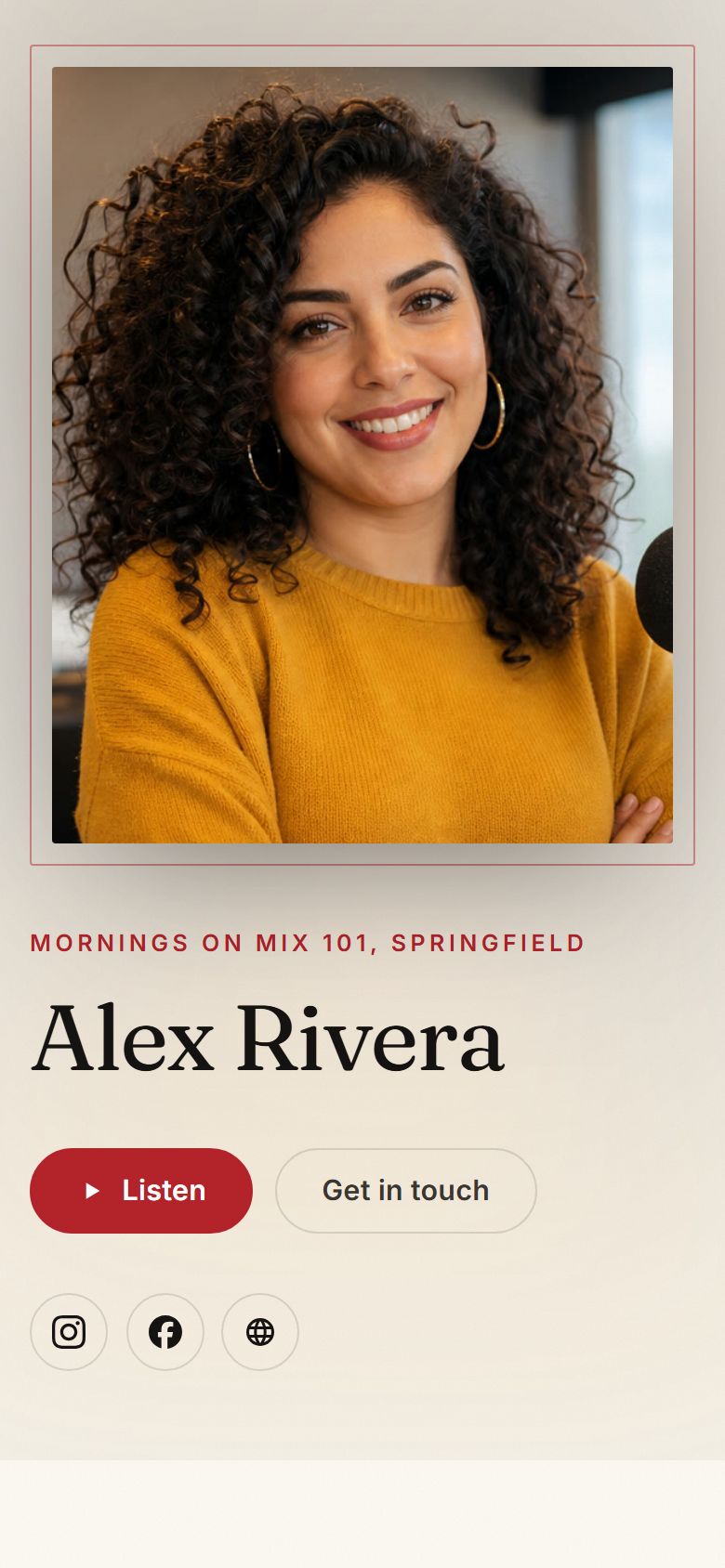
Your photograph, your name set big, your reel playing in one press, your best breaks, your résumé and a way to reach you. It's at showpreppro.com/@yourname, it's free for everyone, and it's the link you put in the email.
Make yours, free: showpreppro.com/@yourname →
- Your reel, cut in Riano Studio. Press Reel when a break lands. Everything you marked lines up already trimmed to the talk: tighten it, order it, and it plays on the page.
- Made to look like you. Three surfaces, two typefaces, eight accent colors, a portrait or banner layout, your own cover art. Your streak trophy, if you want it shown.
- Yours to control. Free for everyone, even if you never subscribe. Nothing is public until you turn it on, and the contact form never shows your email. Or send one reel on a private link.
The show you could never hear
You're on the air when they are. Now you can hear them anyway.
Every live host has the same blind spot: the person across the street is on while you are, so you've never really heard their show. Now you can. We record it for you on their schedule, even if they start an hour before you, and hand it back the way your own show comes back: just their talk, every break listed with the time it aired, the music and spots gone. Hear their whole show in the time it takes to drive home.
- Everything you've been guessing at. What they led with, what they teased and whether they paid it off, which bits they ran, how long they talked, and when.
- On their days and hours. Set when they're on once. It records while you're busy doing your own show.
- No stream address needed. Type their call letters and we find it.
- Private to you. Never mixed in with your shows, never on your page, gone after 14 days. Your first competitor comes with your subscription and starts recording once you subscribe; follow more for $4 a month each.
One price
$19 a month
Or $190 a year, two months free. Everything is included; there's no tier that holds the good parts back for another $40. On more than one station, or following more than one competitor? Every extra station or competitor is $4 a month.
- A full edition every publishing day
- Two-source verification with visible citations
- Break Builder, and Reading Mode in big type for the air
- One-button airchecking, kept with the script
- Your whole show recorded automatically, and The Whole Show: just your talk
- Riano Studio for your reel, and your own page (free for everyone)
- Follow one competitor's show
- Local Angle for your market — coming soon
- Search today's edition, and the whole archive
- Pronunciation guides on every hard name
- Your Body of Work, any day to Word or PDF, everything in one download
- Your streak and trophies, for listening back
- Producers on your account, free
- An email when your prep is ready
- Cartwright export, if you use it — coming
No card up front. If you forget to cancel, we don't charge you — we email you.
Before you ask
Questions we actually get
- Is this AI-written show prep?
- Software does the gathering and the first draft. Nothing factual reaches you without being checked against public sources, two independent ones wherever they exist, and the links are on every item so you can see for yourself. Then people take over: a small team of radio people works on the edition every day, reading it, fixing what doesn't hold up and pulling what doesn't belong on the air. And it's written for a person to read aloud. There's no synthetic voice anywhere in the product, and no plan for one.
- Where does the material come from?
- Public reporting and public records, cited. Every factual item carries its dated citations, two independent ones wherever they exist, and you can click them before you read it on the air. Anything we could only confirm once is labeled as single-source rather than quietly included.
- Do I need any other software to use it?
- No. It runs in a browser, on the studio computer or a tablet on the couch. A send-to-Cartwright export is coming for stations that use it, and everything works exactly the same if you've never heard of it.
- Can it record what I said on the air?
- Yes, two ways. Add your stream address once and an Aircheck button appears on the studio rail: press it when you open the mic, press it again when you're done, and the clip is kept, starting where you started talking. Or, once you subscribe, tell us when your show is and we record the whole thing on our servers with nothing to press, then hand it back as The Whole Show: just your talk, every break listed with the time it aired, ready a few minutes after you're off.
- What does it cost, and what is in the trial?
- $19 a month, or $190 a year. Every feature is included, and there's no tier holding back the good parts. Two things are add-ons, at $4 a month each: a second station (or third, up to six) and a second competitor to follow. Your first of each is included. The trial is 14 days, needs no card, and if you forget to cancel we email you rather than charge you.
- I voicetrack more than one station. Does it work for that?
- Yes. Add each station you're on and switch between them from the top of any page. Each has its own weather, clock, shows, material, streak and whole-show recording, and they can all record at the same time. Your first station comes with your subscription, and every station after it is $4 a month.