Blog
Build your whole morning show in ShowPrepPro, start to finish
A walk through one morning in ShowPrepPro: find the stories, build a break against the clock, put it on the rundown, and read it on the air.
This is one morning, from opening the app to being on the air, with real screenshots of a real show — mine, at Power88, on an ordinary Wednesday. Nothing here’s a mock-up and nothing is hidden. If you’re on the trial and staring at 21 sections wondering where to start, this is where.
The whole loop is five minutes once you know it. It’s four steps: find it, pick it, clock it, read it.
1. What you’re looking at
Open the app and you’re on Today. The edition for the morning is already built — it landed at 5pm the evening before and was refreshed overnight, so the news is current and everything else has been sitting there since you went to bed.
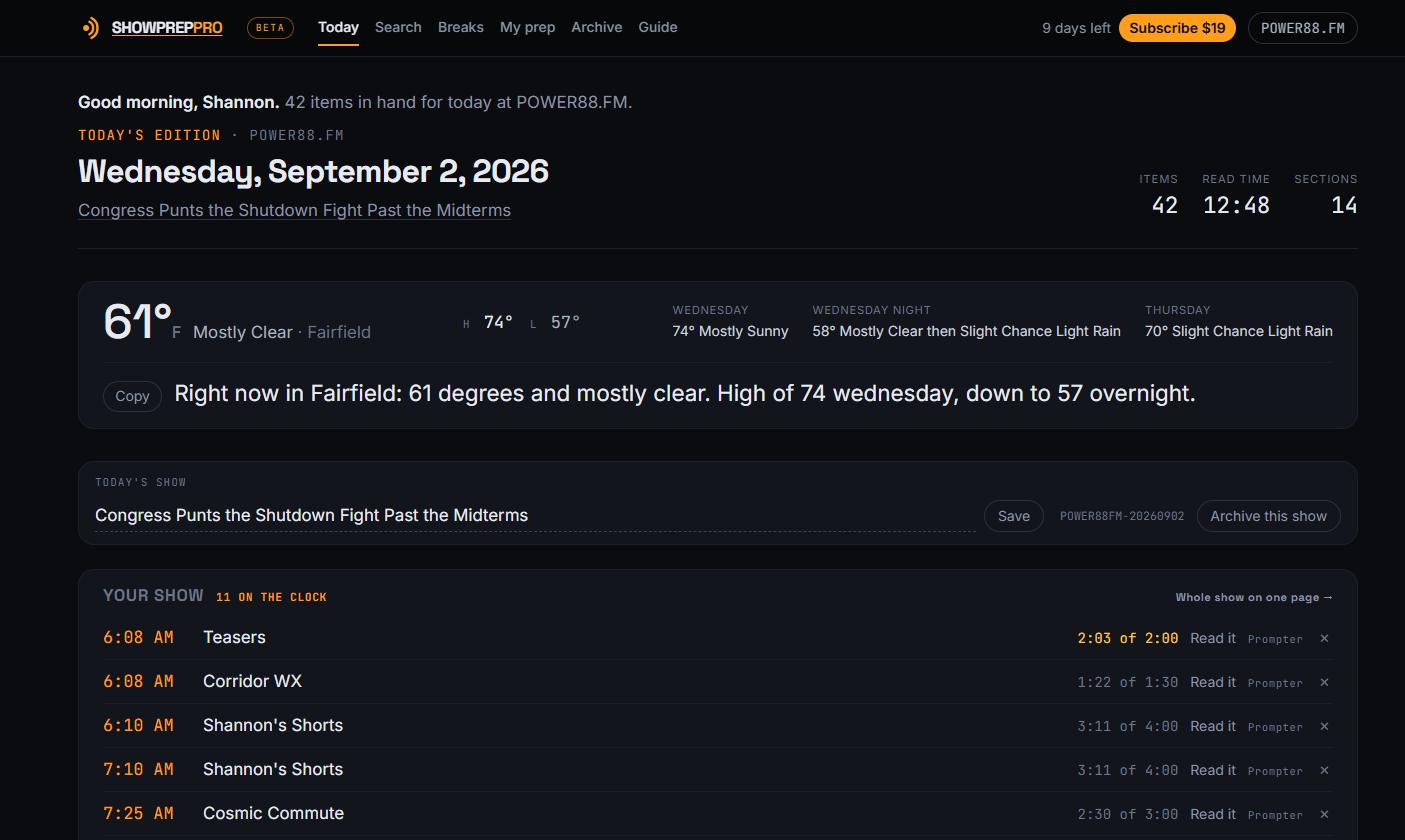
Three things to notice, top to bottom:
- The count. Items, total read time, sections. If it says 42 items and 12 minutes, that’s genuinely how long it would take to read every word.
- The weather strip, with a written line you can copy and read as-is. It’s your market, not a national forecast.
- Your show — the running order, with air times if you give it them. On a fresh account this is empty. By the end of this post it won’t be.
2. Find the material
Two controls, and they answer different questions.
The chips are the sections, one each. Click one to jump to it; click it again to hide everything else. That’s for when you know what you want — “give me The Setup” — and it saves scrolling past thirteen sections to reach it.
The search box is for when you don’t. Type a word and the page narrows to the items carrying it, across every section at once.
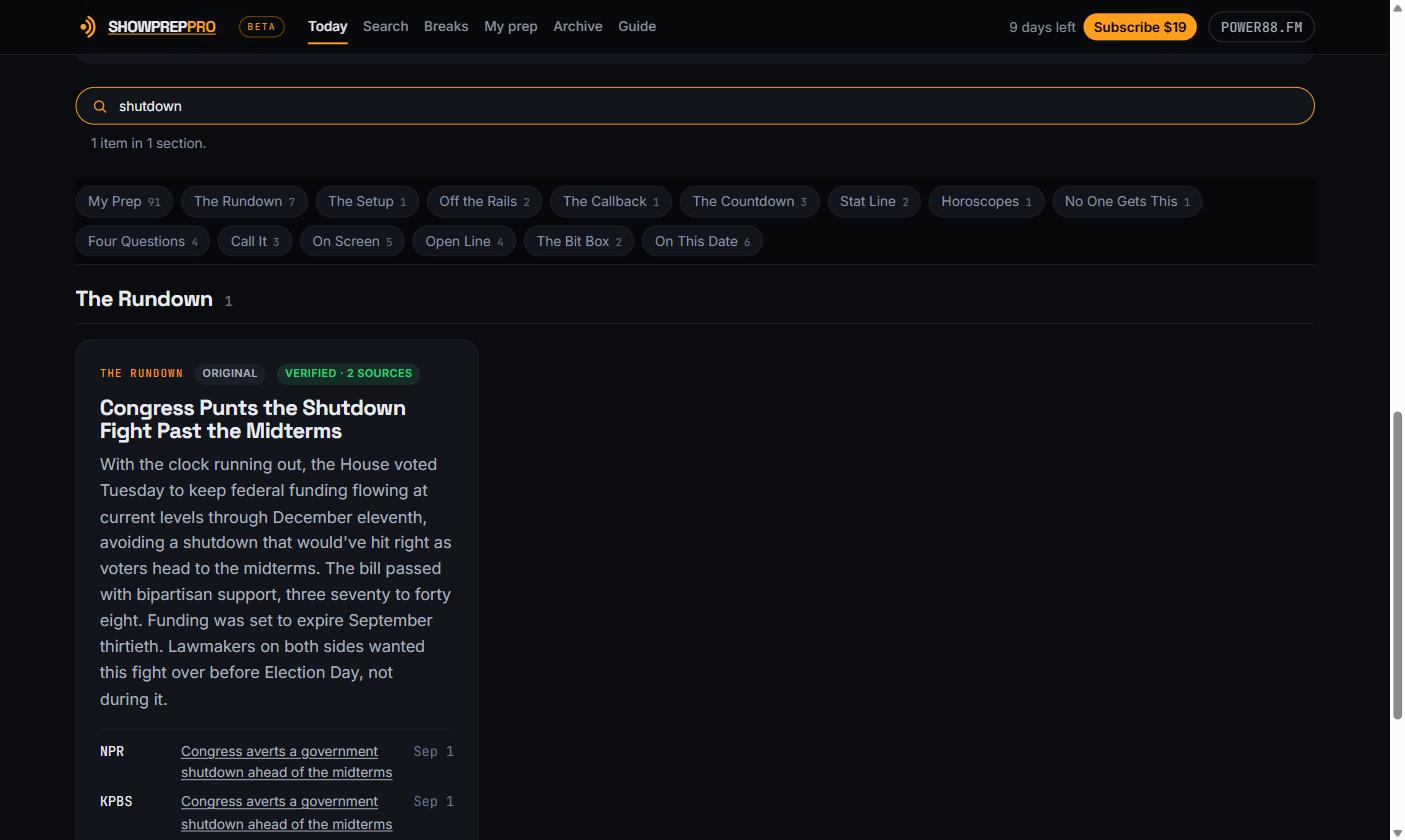
/ from anywhere on the page to jump into the search box. Escape clears it.Search reads the citations too, so an outlet’s name finds the stories it filed, and a section’s name — “horoscopes” — returns that section. This is the fastest way to answer the question a program director actually asks: is there anything in here about the school levy?
Every card shows its verification state before you’ve to ask. Verified · 2 sources means two independent outlets, both linked, both dated, right there on the card. Single source means we could only confirm it once and we’re saying so rather than burying it.
3. Pick a segment
Read down and press Add to break on the ones you want. Three to five stories is a normal segment.
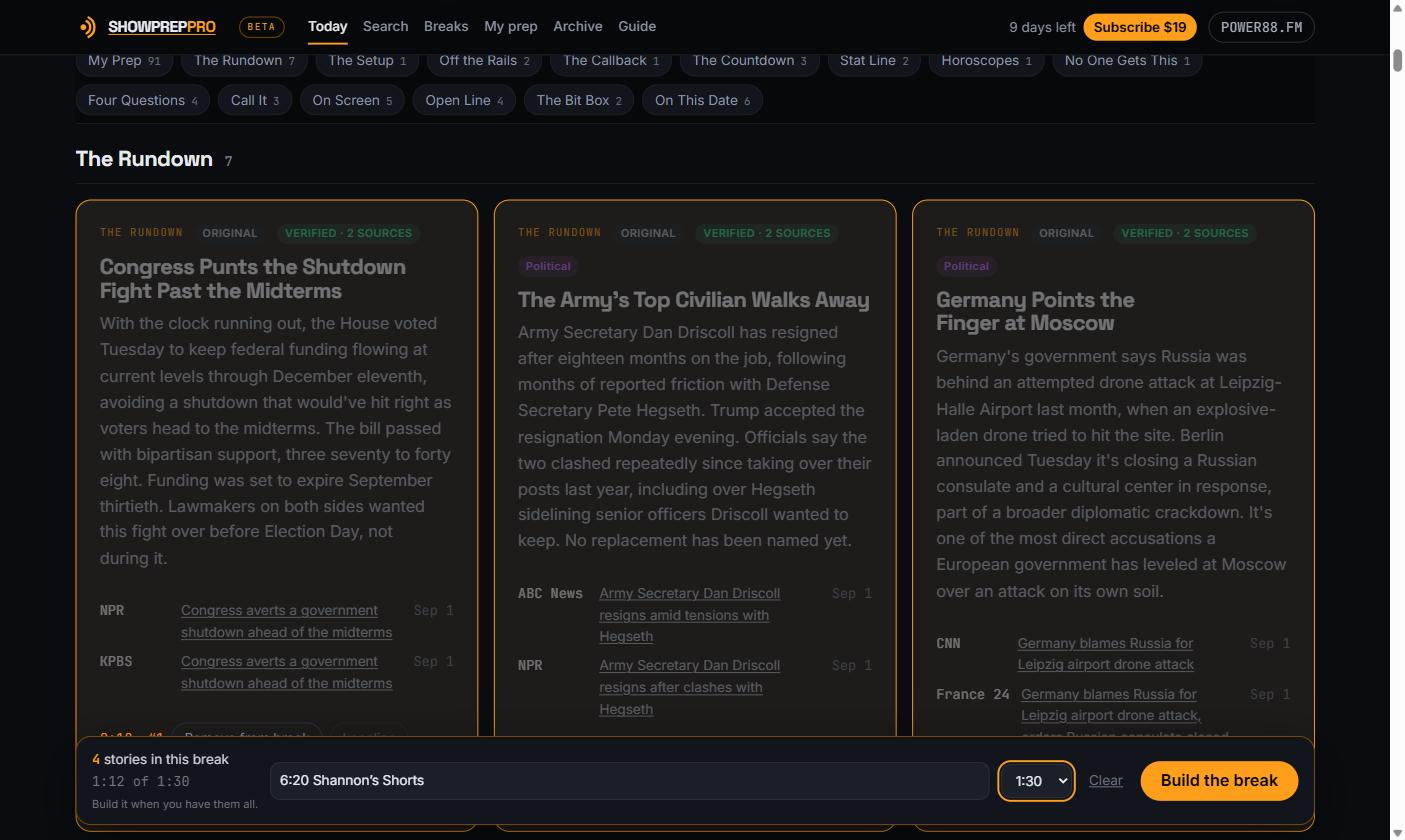
The tray at the bottom is a basket, not a form to finish. It’s doing three things:
- Counting the clock as you pick. 1:12 of 1:30. If you go over, it says so in orange rather than letting you find out on the air.
- Keeping the running order. The number on each card is its position in the break, and it renumbers if you take one out.
- Waiting. Keep picking. The name and the target length are set here too — pick a clock from the dropdown, name it something you’ll recognize at 6:15.
Changed your mind about one? The button on a picked card says Remove from break. You don’t have to go anywhere to undo a pick.
4. Build it
Press Build the break and you land on the break itself.
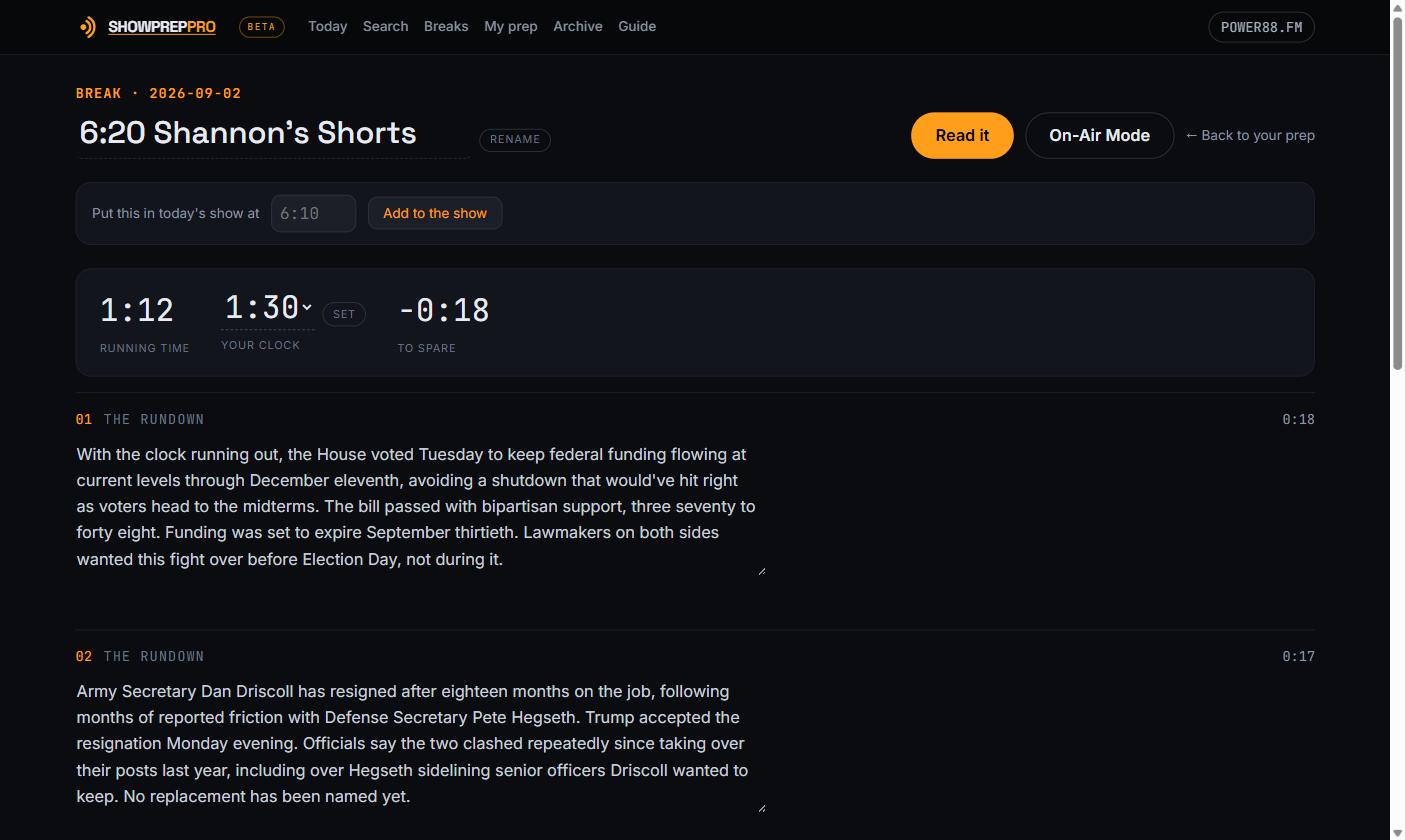
The copy is frozen the moment the break is built. It’ll read identically at 5:55 tomorrow morning to how it reads now — nothing rewrites itself behind you. But you can rewrite it: click into any element and change the words, and the running time recalculates as you type. Take one out and the clock updates.
This is your script now. Say it the way you say things.
5. Put it on the clock
A break is a segment. A show is several of them at times. Type when this one runs and press Add to the show.
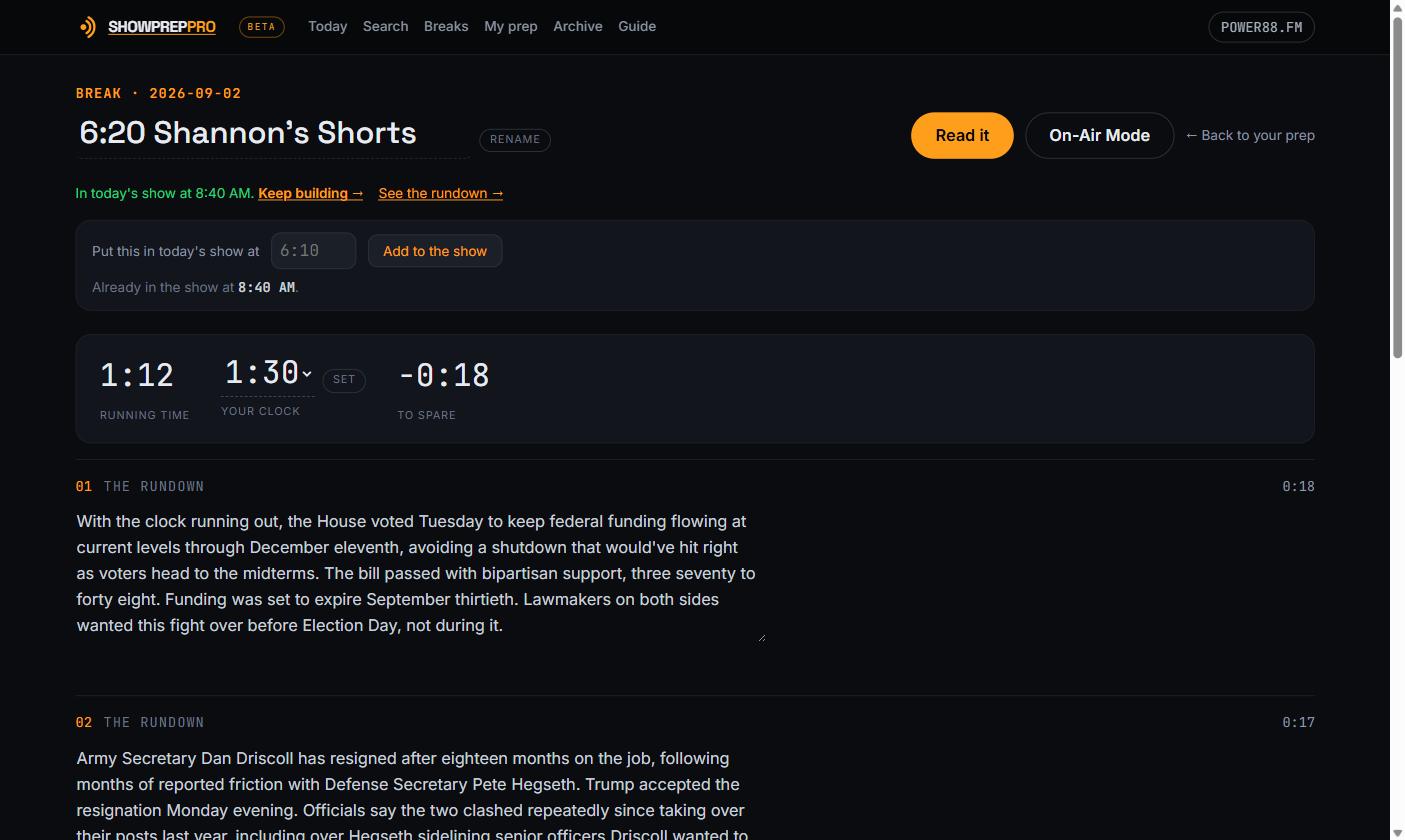
The same break can go in twice. A five-story segment read at 6:10 and again at 7:10 is one break in two slots, not two breaks — build it once, slot it twice, and if you edit the copy both slots get the edit.
That’s the loop. Go back to the feed, pick the next few stories, build the next break, give it a time. Four or five times through and the morning is done.
6. The show, in order
Back on Today, the rundown is the answer to the first question of the morning: what am I doing, and when?
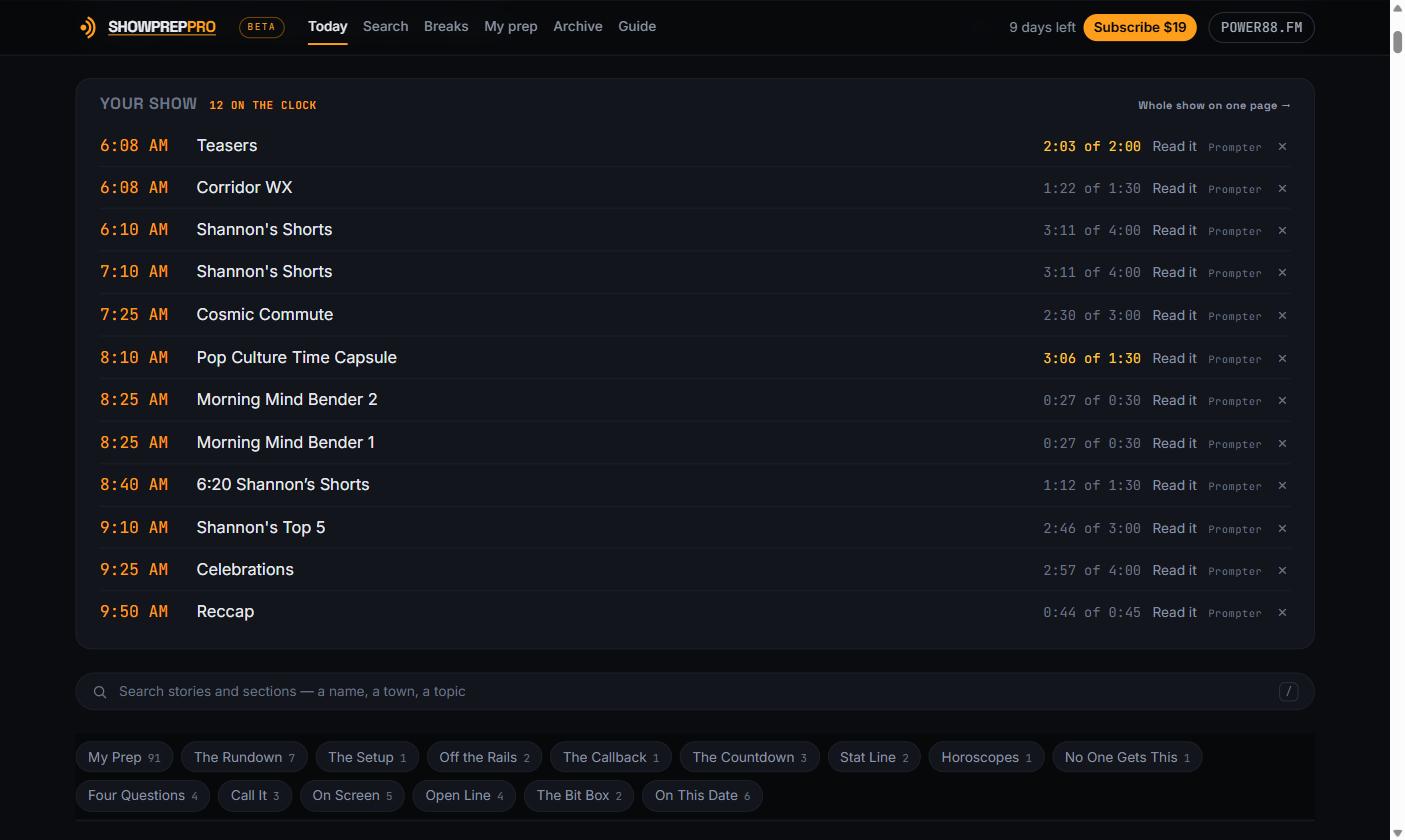
Two doors out of every row, and each says where it goes. Read it opens the still page. Prompter opens the moving one. The × takes a segment out of this morning’s order without deleting the break.
Whole show on one page → is the one to know about if you print your prep, or if you like reading the entire morning in one scroll before you go in.
7. Read it
Reading Mode is the still page in large type. No movement, no scroll speed to fight.
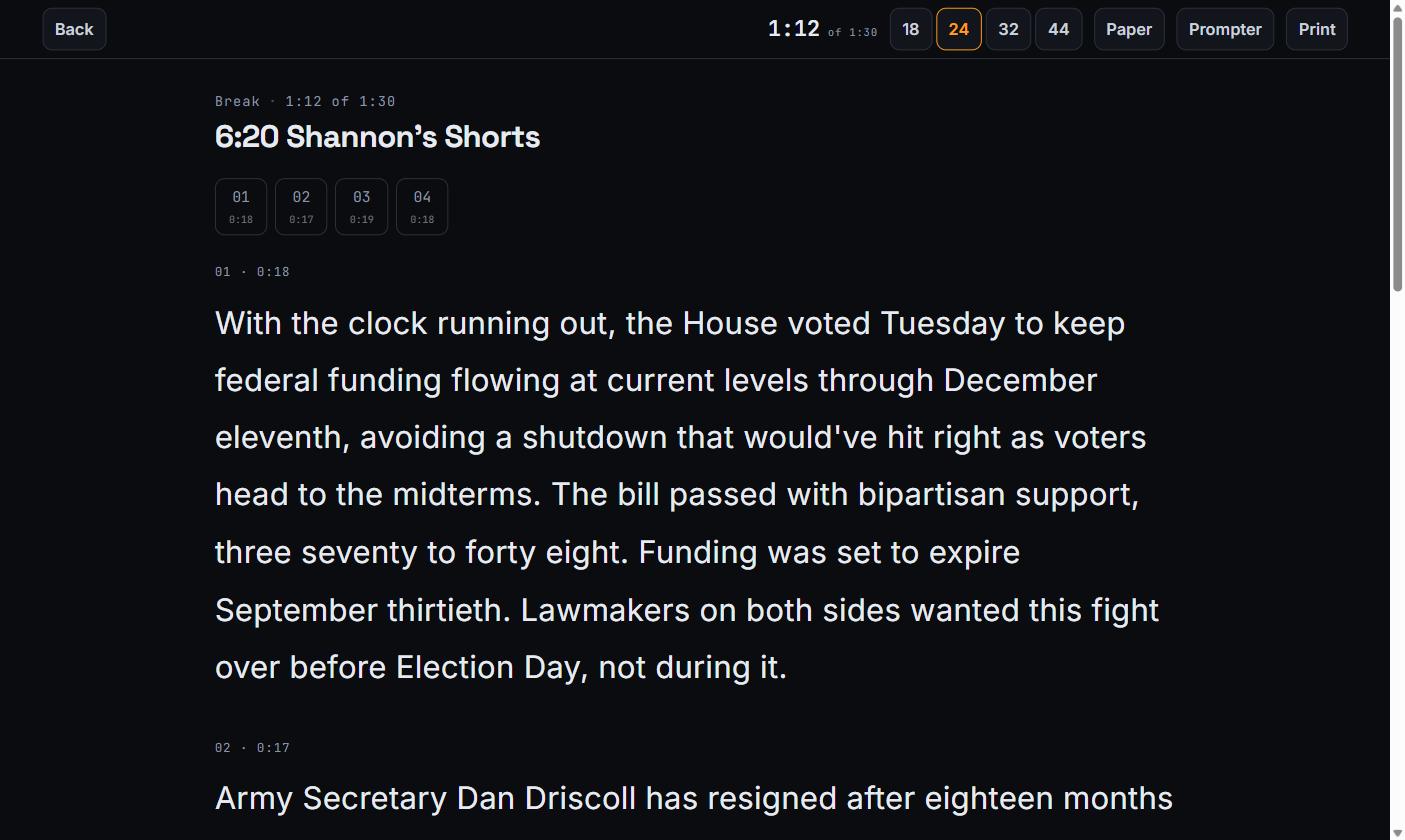
This exists because a lot of good hosts don’t read off moving copy and shouldn’t be made to. A 12-point Word document at 5am is a document you’re decoding, not copy you’re reading — the type size isn’t a preference, it’s the difference between reading and stumbling.
8. Or run it
On-Air Mode is the teleprompter. Space starts and stops it, the arrow keys change speed, a number jumps to that element.
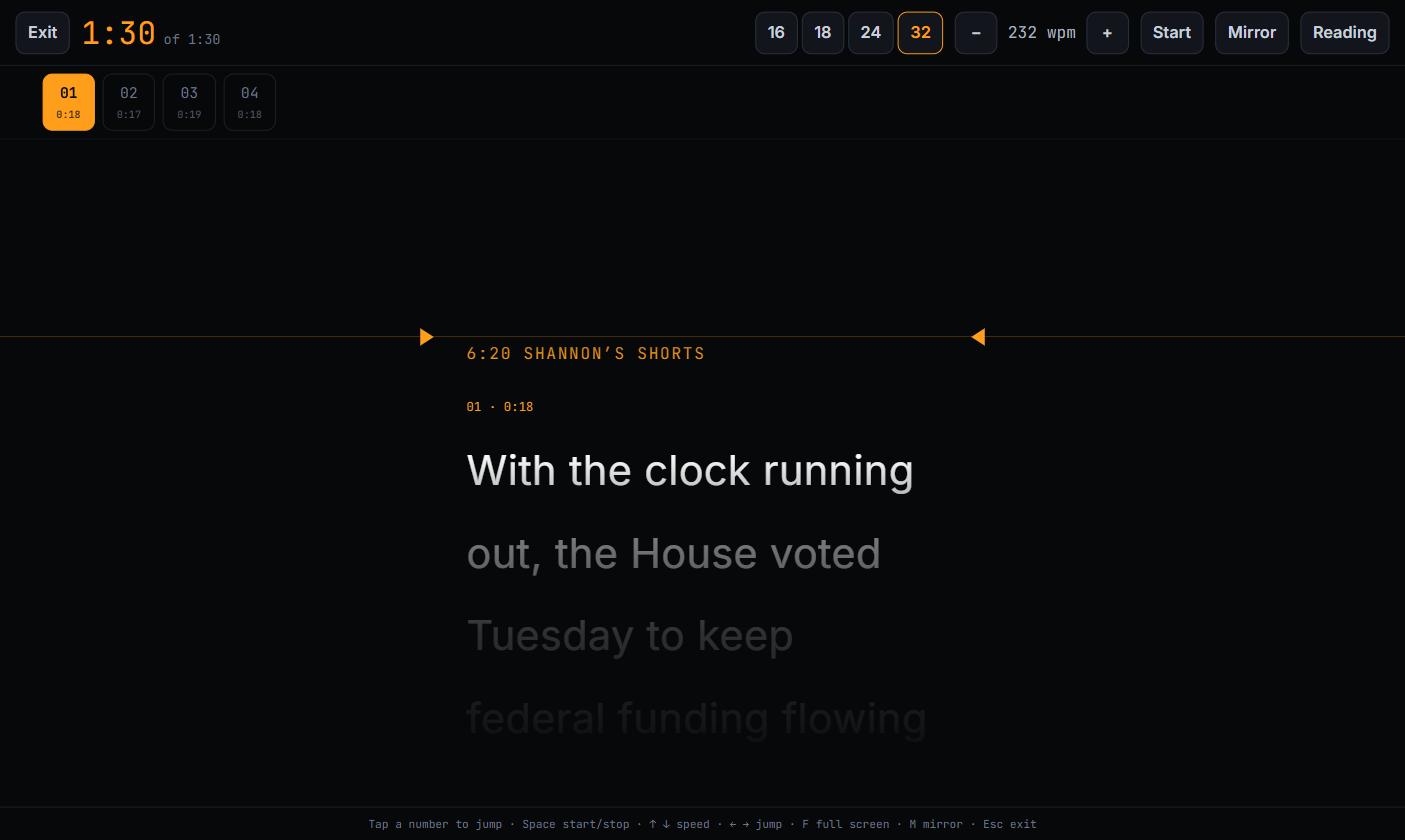
The line you’re on is bright and the ones ahead fade back, so your eye has a place to be. F is full screen. Esc gets you out. If your break runs 1:12 against a 1:30 clock, the number at the top left is what you’ve got, not what you’ve used.
9. The feed remembers what you used
Come back to Today — after a break, or the next morning before the show — and every story already on the clock says so.
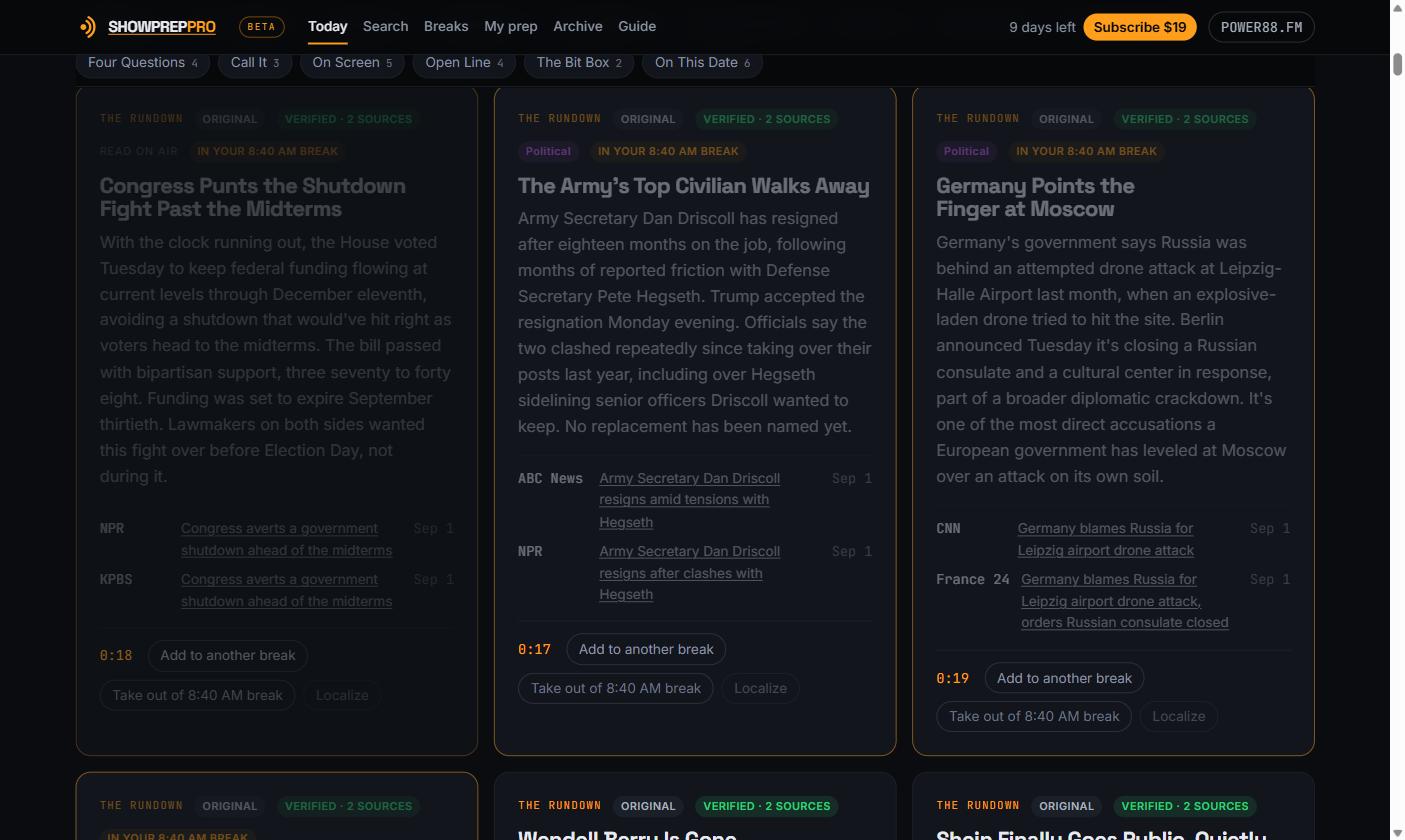
The card dims, and the chip names the break so you can jump straight to it. If you genuinely want the same story in a second segment, the button says Add to another break and nothing is in your way. This is what stops you reading the same story twice in a morning, which is the single most embarrassing thing a prep system can let you do.
10. Close the day
At the end of the show, Close the show on the Today page files the whole
morning — every break, every note, under one reference like
POWER88FM-20260902. It goes in your Body of Work, searchable by date, title or
reference.
That isn’t nostalgia. It’s for the Tuesday somebody rings the station about something you said on the 2nd, and you need to know exactly what you said.
The whole thing, on one line
Find it, pick it, clock it, read it — then close the day.
Everything else is preference. Prep the night before or in the chair; read off the still page or the prompter; build four long breaks or nine short ones. The loop is the same, and after the first morning it stops being a thing you think about.
If you get stuck, the Guide in the top bar walks the same ground in eight steps, and there’s a Tell us something is wrong link at the bottom of every page that reaches a person.
Related: a prep routine that survives a bad week, and the anatomy of a ninety-second break for what to put in the one you just built.